
Download Magicast – AI‑Powered Personalized Podcast Creator
Why Magicast Is the Future of Audio Content
In today’s fast‑paced digital world, listeners are demanding more audio content while creators are looking for ways to produce that content without the time‑consuming process of recording, editing, and publishing. Magicast steps into this gap as a cloud‑based, AI‑driven platform that converts any written material—articles, PDFs, web pages, or raw notes—into a polished podcast episode within seconds. The service combines state‑of‑the‑art natural‑language processing with high‑fidelity text‑to‑speech synthesis, delivering a voice that sounds natural, expressive, and adaptable to different languages and tones.
Because it operates entirely in the browser, there’s no need for bulky installations, expensive licenses, or powerful hardware; a simple internet connection and a modern browser are enough to start creating professional‑grade audio. Whether you are a journalist who wants to repurpose stories for commuters, a teacher aiming to provide accessible lessons, a marketer seeking to add audio to blog posts, or a hobbyist eager to share passion projects, Magicast offers a free tier that lets you experiment and a premium plan that removes limits. Its secure, GDPR‑compliant infrastructure ensures that your data stays private, while continuous AI model updates guarantee that the voice quality and summarisation accuracy improve over time.
In short, Magicast transforms the way content creators think about audio, making it as easy as copy‑and‑paste.
Overview
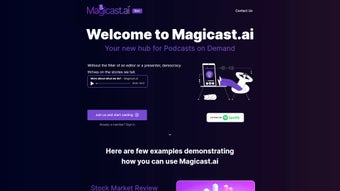
Magicast.ai is a web‑based application designed to turn any text into a high‑quality, personalized podcast. Powered by advanced natural‑language understanding and neural text‑to‑speech technology, the platform analyses the input, extracts the most relevant points, and stitches them together with a human‑like voice. Users can select from multiple voice personas, adjust speech speed, and add background music or custom intros to match their brand voice.
The service supports a range of content types—from concise stock‑market briefs and academic paper summaries to hobby‑specific tutorials—making it a versatile tool for professionals across industries. Because all processing happens on encrypted cloud servers, the user’s device remains untouched, preserving battery life and ensuring fast performance even on low‑end hardware. Magicast’s free tier offers up to five podcast generations per month with a subtle watermark, while the paid plan unlocks unlimited creations, higher‑resolution audio, and premium voice models.
The platform also integrates seamlessly with content management systems through embeddable players and direct MP3 download links, allowing creators to publish audio alongside written content without extra effort. With its blend of speed, accuracy, and accessibility, Magicast positions itself as the go‑to solution for anyone who prefers listening over reading.
Key Features & Capabilities
- AI‑Generated Podcasts: Transform any text source into a full‑length episode with natural‑sounding voice synthesis.
- Multi‑Language Support: English, Spanish, French, German, and expanding to more languages.
- Custom Voice Personas: Choose from male, female, and neutral tones; premium plans unlock additional voice styles.
- Topic Personalization: Use keywords or industry tags to tailor content to specific audiences.
- Accessibility Mode: Convert articles, blogs, and PDFs into audio for visually impaired users, complying with WCAG 2.1.
- Educational Summaries: Summarize textbooks, research papers, or tutorials into bite‑size audio lessons.
- Financial Snapshots: Generate concise, data‑driven market reviews, earnings reports, and trend analyses.
- One‑Click Export: Download MP3 files instantly or embed an HTML player on websites and LMS platforms.
- Secure Cloud Processing: All data is encrypted in transit and at rest, meeting GDPR standards.
- Continuous Updates: AI model improvements roll out automatically, ensuring the latest voice quality and summarisation algorithms.
Installation, Usage & Compatibility
Getting Started – No Download Required
Magicast operates entirely in the browser, eliminating the need for traditional software installation. To start, navigate to magicast.ai, sign up with an email address or use Google/Apple SSO, and you’re ready to create podcasts immediately. The dashboard presents a clean, step‑by‑step wizard: paste or upload your source material, select a voice, set duration, and click “Create Podcast.” Within seconds the AI processes the content, generates a preview, and provides options to edit, trim, or add music.
Device Compatibility
- Windows 10/11 – Fully functional in Chrome, Edge, Firefox, and Safari.
- macOS Monterey and later – Works flawlessly across all major browsers.
- Android 8.0+ – Mobile‑optimized UI for on‑the‑go podcast creation.
- iOS 13+ – Responsive design ensures a seamless experience on iPhone and iPad.
Step‑by‑Step Usage Guide
- Register: Create a free account or log in with Google/Apple.
- Select a Template: Choose from pre‑built templates for finance, education, hobby, or custom.
- Upload Content: Paste text, upload a PDF, or provide a URL; Magicast scrapes and cleans the data.
- Customize Voice: Pick language, tone, speed, and optional background music.
- Generate & Review: Click “Create.” Use the preview player to listen, then trim or re‑record sections as needed.
- Export & Publish: Download MP3, embed the HTML player, or share a direct link. Schedule recurring updates for weekly market briefs if desired.
Because all processing occurs on secure cloud servers, your local device’s resources remain untouched, and you benefit from automatic updates without manual patches. Whether you’re on a desktop, laptop, tablet, or smartphone, Magicast delivers the same fast, reliable performance, making it a truly cross‑platform solution for modern content creators.
Pros, Cons, Frequently Asked Questions & Final Thoughts
Pros
- Instant podcast generation without any recording equipment.
- Highly personalized content based on user‑defined keywords and templates.
- Accessibility features for visually impaired users and readers with dyslexia.
- Cross‑platform compatibility across Windows, macOS, Android, and iOS.
- Generous free tier with watermark‑free premium upgrade.
- Secure, GDPR‑compliant cloud processing ensures data privacy.
- Embeddable player and direct MP3 download simplify publishing.
Cons
- Voice library is limited to a set of pre‑trained models; custom voice creation is not yet available.
- Complex formatting such as tables or code snippets may not translate perfectly to audio.
- Requires an active internet connection; offline usage is not supported.
- Free version adds a subtle watermark to exported MP3 files.
- Advanced analytics and branding options are reserved for higher‑tier plans.
FAQ
-
Is Magicast really free to use?
Yes. The free tier allows up to five podcast generations per month with a small watermark. Paid plans start at $9.99 per month and remove limits and watermarks.
-
Can I export podcasts in formats other than MP3?
Currently MP3 is the default due to its universal compatibility. Future updates plan to add WAV and AAC options.
-
How does Magicast ensure the accuracy of the generated content?
Magicast pulls data from reputable APIs and vetted databases. The AI summarises the information, but we recommend users verify critical data—especially financial figures—before publishing.
-
Is my uploaded data private?
All uploads are encrypted both in transit and at rest. Content is stored for a maximum of 48 hours unless you choose to save it to your account.
-
Can I embed Magicast podcasts directly on my website?
Yes. Each episode comes with an embeddable HTML player and a direct download link, making integration with blogs, LMS platforms, or corporate sites effortless.
Conclusion & Call to Action
As audio consumption continues to outpace traditional reading, Magicast emerges as a reliable, secure, and user‑friendly platform that democratizes podcast production. Its AI accuracy, cross‑platform reach, and accessibility features make it a compelling choice for professionals, students, and casual creators alike. Whether you need daily market updates, quick educational briefs, or hobby‑focused episodes, Magicast turns static text into engaging, human‑like storytelling in seconds. Ready to elevate your content strategy? Download Magicast today and create your first podcast for free—experience the future of audio content creation without any hassle.



.png)



